Free
€0
Organize your first team.
- 1 project
- 3 collaborators + Team Leader
- Unlimited tickets and memory
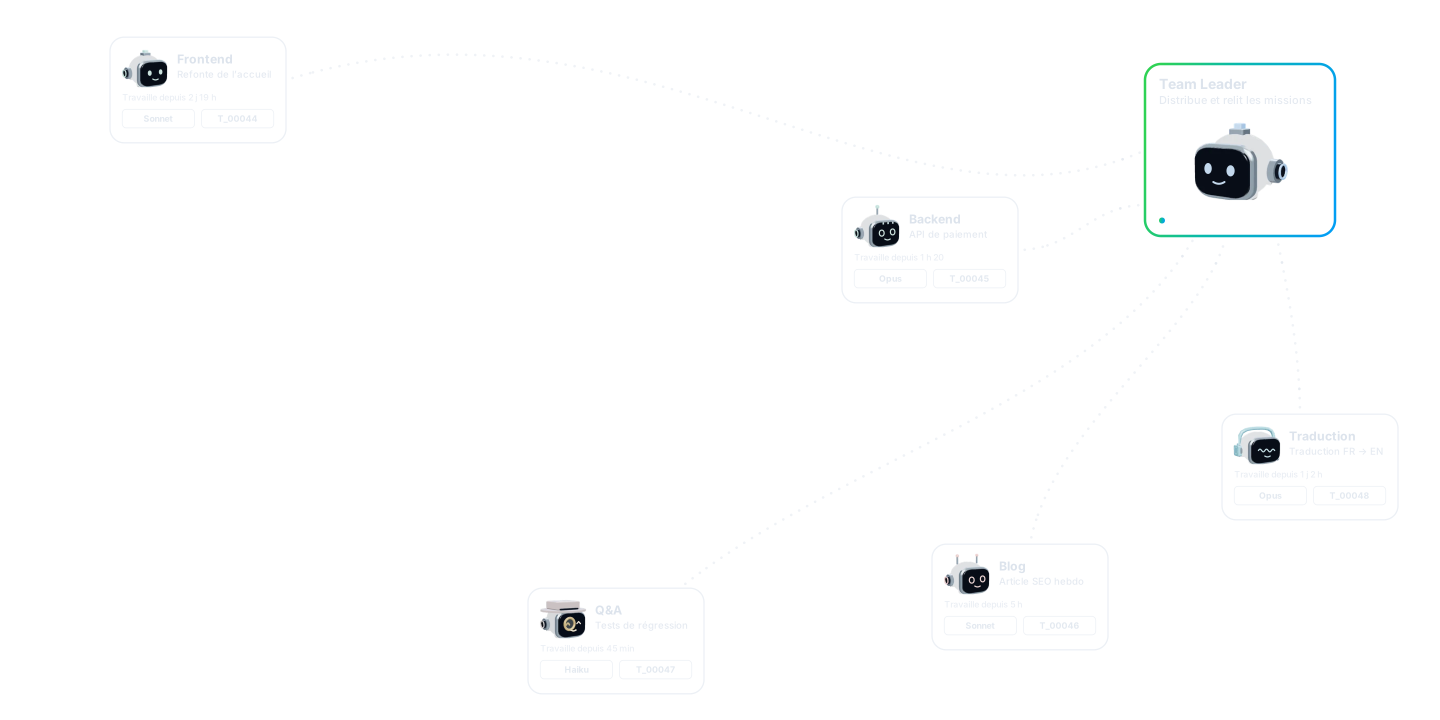
You describe what you need in one sentence to the Team Leader, the AI that runs your team. It is your only point of contact.
You describe what you need in one sentence to the Team Leader, the AI that runs your team. It is your only point of contact.
The Team Leader splits the request into precise tickets and hands each one to the right teammate: Backend, Frontend, QA.
Each agent has its own job description: a role, a scope, skills. It works within it, never beyond.
The Team Leader reviews every delivery. If it breaks the project’s rules, it is sent back and fixed. A teammate never approves its own work.
Every decision is kept in the project’s memory. Three months later, a new request finds it on its own: nothing to explain again.
Code, database, security, writing… The bigger the project, the more it gets wrong.
Each session lives in its own corner. You are the link, copy-pasting between them.
A few hours later, what you explained is gone. You start over.
Autonomous agents act without anyone seeing what, where, or with which model.
Code, database, security, writing… The bigger the project, the more it gets wrong.
Each session lives in its own corner. You are the link, copy-pasting between them.
A few hours later, what you explained is gone. You start over.
Autonomous agents act without anyone seeing what, where, or with which model.
Built inBuilt inBuild it yourselfBuild it yourselfNot establishedNot established
€0
Organize your first team.
€19incl. VAT / month
For a single person.
VAT included · No commitment, cancel online anytime
SubscribeCustom
For teams that need more.
Any MCP client: Claude Code, Codex, Cursor, VS Code, Gemini CLI, the Claude app, ChatGPT or any other compatible tool, with the models of your choice. The Team Leader and each collaborator can use different tools and models.
The normal workflow starts in your Team Leader session. It prepares tickets, launches collaborators and resolves blockers. You can also resume a collaborator’s session to inspect its work.
Within the scope you authorize, yes: it can chain analysis, corrective tickets, follow-ups and integration. If it gets something wrong, a collaborator can flag disagreement; the Team Leader re-examines the approach, arbitrates or cancels the ticket in question.
The collaborator submits to Review with its report and required skill validations. The Team Leader inspects and verifies the result before deciding. The collaborator cannot mark its own ticket Done.
No. Tickets, deliveries, decisions, skills and tracking tables make up the project memory. A local search can retrieve that context, with optional embeddings computed on your machine; it does not cover the entire history or every past exchange.
Your tickets, deliveries, messages and tracking are encrypted client-side: the service cannot read them. It does keep readable metadata: your account, project, folder and device names, states, relationships and activity dates.
If you configured a backup protected by a secret phrase or a recovery code, a new machine can retrieve the key without the old one. Without any of these means, access to encrypted content cannot be restored.
Yes, through invitations and roles managed in the console: adding, changing the role of, or removing a member. A project keeps a single active AI Team Leader; several humans can take part according to their rights.
No. The companion keeps a local Git history on your machine; no external account or remote is required to deliver a ticket.
The offering is a SaaS paired with a local companion that runs on your machine and encrypts your content before it syncs. There is no fully self-hosted offering and no open-source status for this product.